


























Everything teachers and learners need in one powerful platform
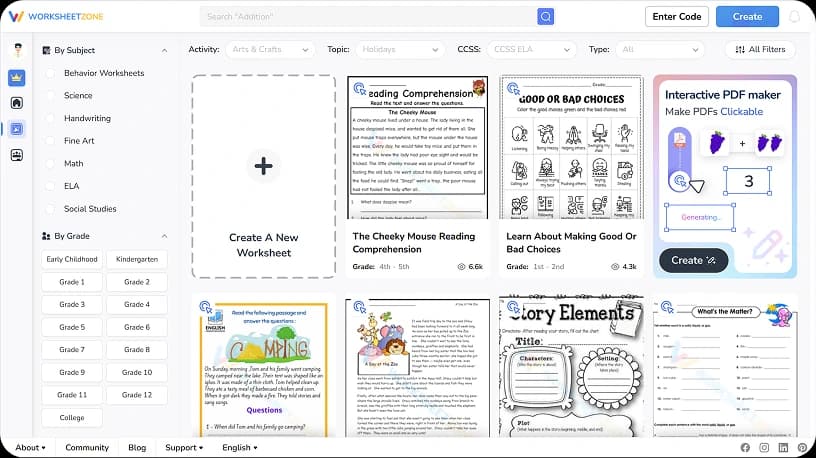
Printable & interactive resources with instant download. Worksheets, coloring pages, lesson plans, and AI-powered tools for every grade and subject.
Search "Handwriting worksheet"
Search
2M+
Pre-made worksheets
and templates
12
AI Worksheet Makers
and Generators
5M+
Teachers and
Students served
Explore






Worksheetzone Tools
Hot Tools
Core Functionality
Teaching Workflow
Target Learners

Interactive Worksheet Maker
Create online interactive worksheet with AI assistant for distance learning

Quiz Maker
Find thousand of ready-made worksheets

Lesson Plan Generator
Create lesson plan for both online and offline classes

Vocabulary List Generator
Create vocabulary list for both online and offline classes

Academic Content Generator
Create academic content for both online and offline classes

Reading Passage Generator
Generate reading comprehension texts, passage for any topics, subjects...
Features
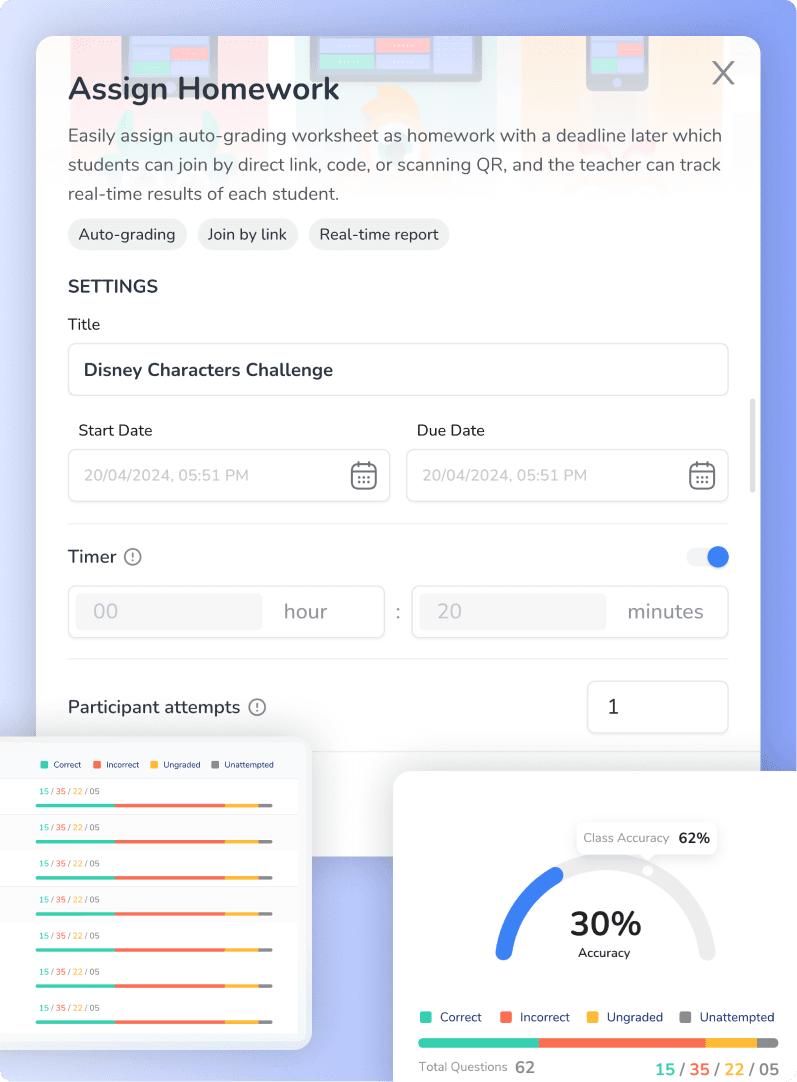
Assign Online Exercises
Easily assign worksheets from your library or custom creations. Monitor individual student progress and performance in real time.
Features
Assign from worksheets
Auto-grade instantly
Track submissions live
Share results with parents
How it works
Step 1
Select a worksheet (Quiz or Interactive format) or Generate a new worksheet
Step 2
Click “Assign” and configure time, attempts, and feedback settings
Step 3
Share the assignment via link, code, QR, or platforms like Google Classroom
Step 4
Monitor student progress live from your assignment dashboard
Features
Increase Interactivity During Classes
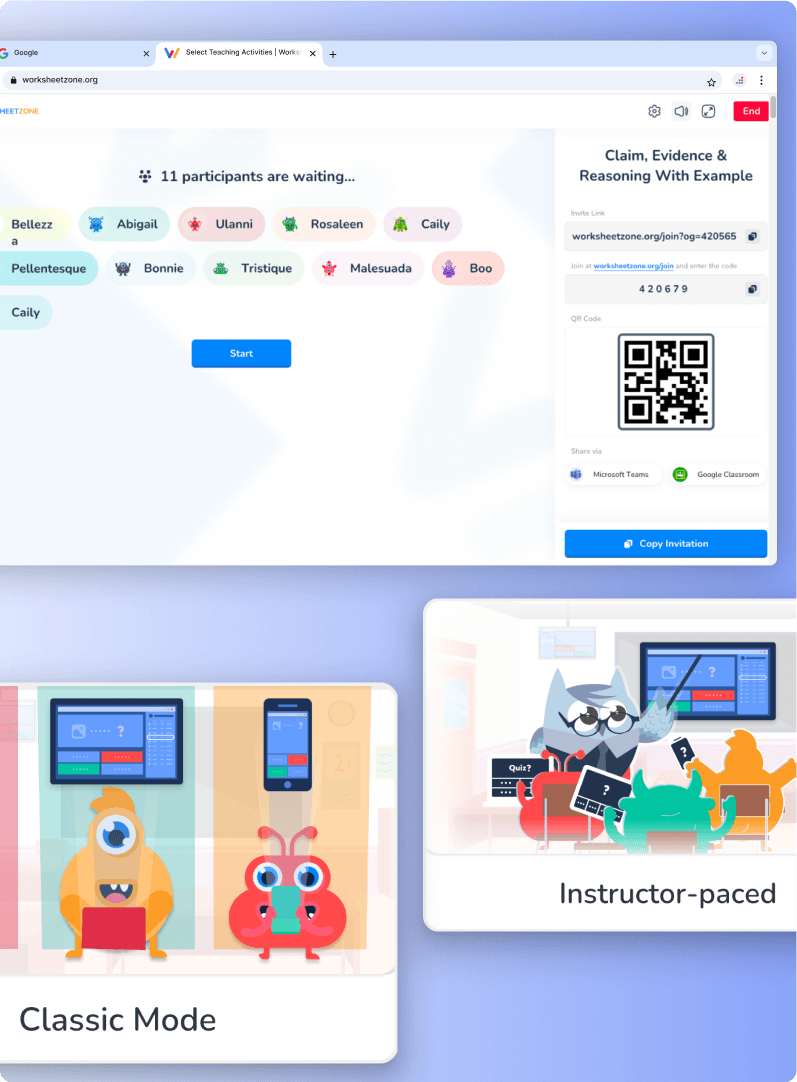
Host real-time, interactive sessions with any quiz-based worksheet. Learn together through friendly competition.
Features
Host live games with interactive worksheet
Track scores live
Let students join via code or link
Choose play mode
How it works
Step 1
Select a worksheet (Quiz or Interactive format) and click “Start teaching activities”
Step 2
Choose desired mode and configure timing, question order, scoring, etc.
Step 3
Share the session via code or link for students to join
Step 4
Start the session and monitor progress and stats live
Features
Personalized learning suggestions
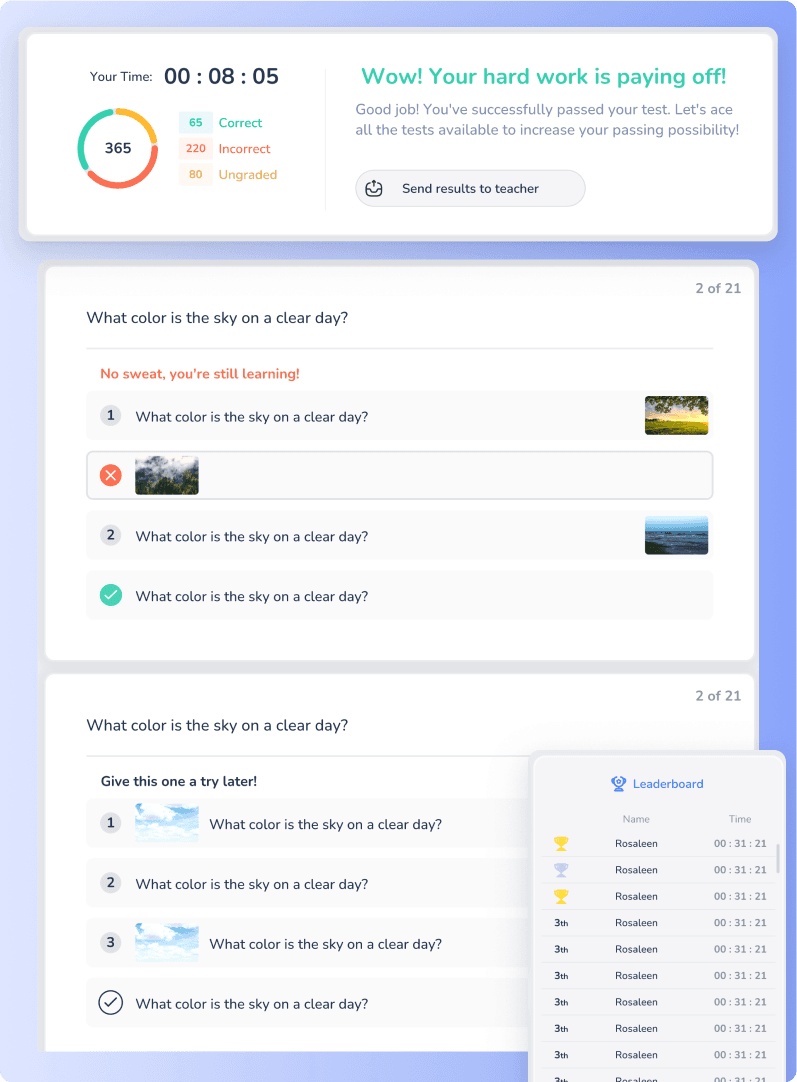
Let students learn at their own pace with custom questions, time limits, auto-scoring, and motivational leaderboards.
Features
Various topics and subjects
Auto-grade instantly
Personalized learning suggestions
Share results with parents
How it works
Step 1
Select a worksheet and click “Self-paced Learning”
Step 2
Configure number of questions, timing, and feedback settings
Step 3
Students practice independently on any device
Step 4
Submit the assignment to view scores and leaderboard ranking
Class Management
Worksheetzone Classroom
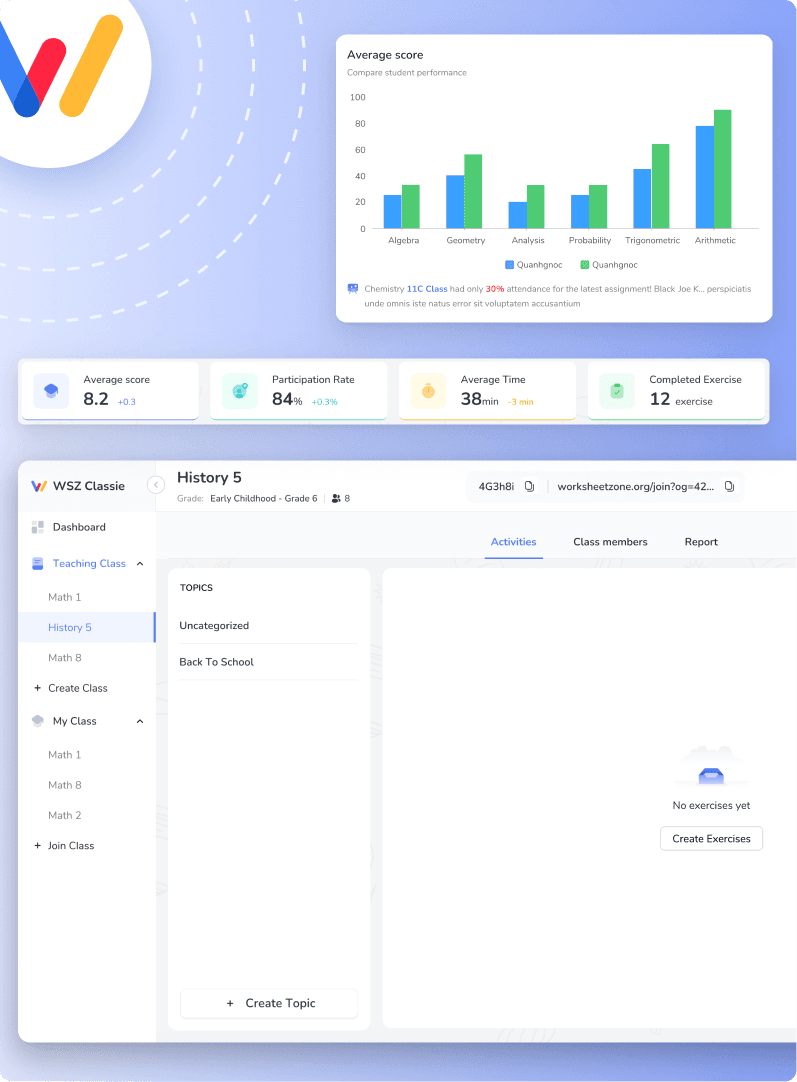
Turn every worksheet into a personalized learning journey. Assign in 1 minute, track in real time, and teach with AI-powered insights by your side.
Features
Create classes
Assign worksheets
Track student progress
AI-powered insights —all in one centralized dashboard
How it works
Step 1
Create or join a class using a code
Step 2
Add topics and assign worksheets inside the Activity tab
Step 3
Monitor each student’s progress and completion
Step 4
Use AI suggestions to improve teaching strategies and personalize assignments
Explore Our Latest Insights
Stay updated with the latest teaching strategies, educational trends, and tips to make the most of Worksheetzone

